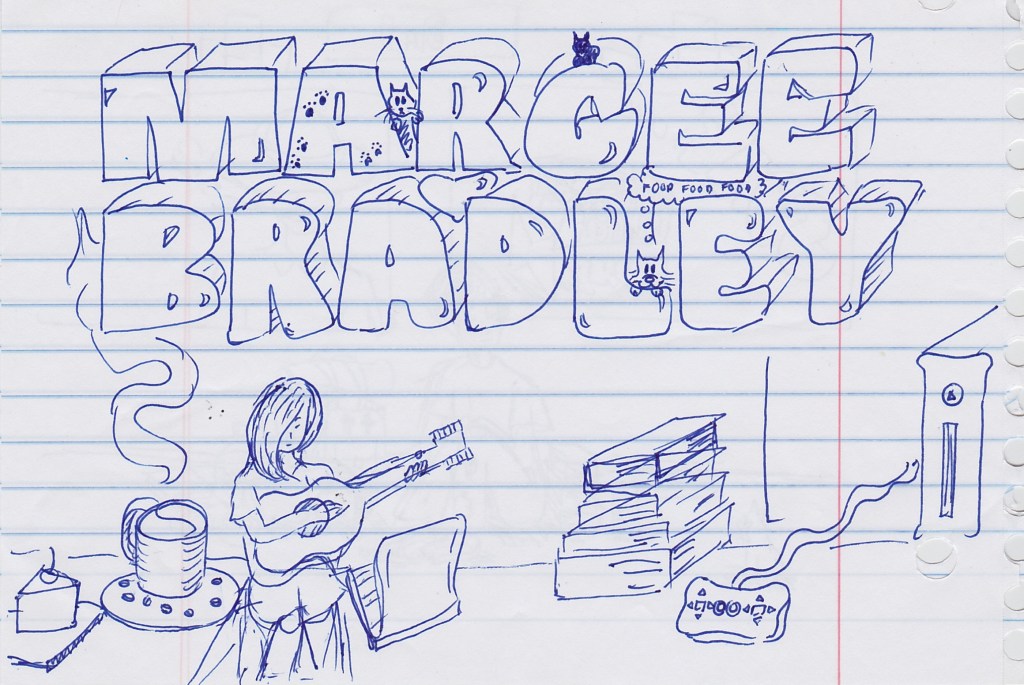
I’ve always really enjoyed her sketches and art. This is a really old one and she’s come a long way since she made this doodle, but I like it because I see us and our cats in it.
I’ve always really enjoyed her sketches and art. This is a really old one and she’s come a long way since she made this doodle, but I like it because I see us and our cats in it.

Covid: Huge protests across Europe over new restrictions, yikes
https://www.bbc.co.uk/news/world-europe-59363256
@stux@mstdn.social
At this point, vaccine mandates are just about control.
We don’t live in monarchies or dictatorships. People have a right to make their own choices about medical procedures. Let them make their choices and deal with the consequences.
COVID-19 isn’t going anywhere. The sooner we stop pretending it is, the sooner governments have to stop abusing their authority.
This is just the new PATRIOT act. Soon, they’ll want to track everyone’s movements 24/7. For safety.
We live in Europe and don’t have such a thing…
Like said, the government isn’t some monster or alien.. It’s people chosen by us.. Why is this an issue? It’s also the law you need to wear cloths in public right? Or is that also a first step to TOTAL control about every single aspect of your life..?
Sorry but I really don’t get this way of thinking. What do the vaccine and tracking people have to do with one and another? There’s microchips in the vaccine? Sats can track vacinated people? What?
@stux@mstdn.social
The issue at stake is bodily autonomy. The State shouldn’t be able to force you to undergo a medical procedure that you don’t want.
Even if nothing else is in your control, you at least should have rights to your own flesh and blood. That’s not the same as putting on pants before going outside.
And the tracking is in the Vaccine Pass apps that are mentioned in the article that you shared. I see this as a first step towards governments normalizing this level of surveillance.
And with this precedent, what’s next? It’s ok to jail people who don’t get an annual flu shot? The State gets to say who is allowed to have children? That sounds absurd, but in the US, we fought that fight already.
The only business the government should have in healthcare is in providing access, not in demanding compliance.
The conversation ended there, but just to clarify one thing, in the US it has previously been illegal for those considered mentally handicapped to have children. It has also been illegal for mixed race couples to have children at different points in the past here.
When you let the government start dictating what medical procedures you must undergo to take part in essential activities (work, shopping, being in public spaces), you open a door for the government to take further liberties with that power. It sets a precedent.
Every time the government says it just wants to do one thing related to one group of people for a specified time, that’s never the end of the overreach of power. The US was founded on the principle of limited Federal government. All powers not specifically set forth in the Constitution are reserved to the States that make up the Republic. The government is going to constantly look for ways to accumulate more power.
That’s why there are constant calls for more regulations, restrictions on gun ownership, and demands for backdoors into encrypted communications networks. It’s about control. Controlling citizens. Anyone that’s been paying attention should know by this point that no matter who gets into office, it’s always more of the same. That’s why nothing meaningful gets done even when one party controls both chambers of Congress and the White House. That’s why money keeps getting dumped into pet projects instead of programs that would actually improve quality of life for average citizens. There’s the government and then there’s the rest of us.
Demanding on pain of job loss, homelessness, and starvation that citizens get vaccinations is unconstitutional and illegal. It’s also immoral. Demanding that children get a vaccine that has a higher rate of harm than the virus it protects against is evil.
There’s obviously a lot of creative license going on here, but the idea and execution are both amazing. There’s a lot of this type of music available on YouTube and I feel like I could get a good work out in while listening to this. It’s a lot more motivating than the popular workout playlists on Spotify and YouTube Music, anyway.
When we feel love and kindness toward others, it not only makes others feel loved and cared for, but it helps us also to develop inner happiness and peace.
The Dalai Lama
When I read this quote by the Dalai Lama, I thought about the times that I’ve lost my patience and said or done something that I immediately regretted. The embarrassment and guilt from those types of situations can sit with me for days while I rehash them in my mind and wonder about possible outcomes.
Obviously, there’s another problem there of living in the past instead of living in the present, which isn’t healthy on its own, but all actions have consequences. I think this is something the Buddha was aware of and is an important part of the idea of karma. The things we say and do that we might wish we could take back not only create guilt and bad feelings between us and other people, but, according to Buddhist teachings, they also add negative karma which can come back to visit us in this life or the next.
So, sure, live in the present, but it’s also important to help that along by not doing things that anchor us in the past. In other words, spending more time listening and thinking before speaking or doing so that we don’t get stuck in a cycle of worry and anxiety. I’m not saying that to preach to anyone. It’s more of a personal reflection and a reminder to myself to be vigilant as a means of improving my mental clarity, focus, and quality of sleep.
I’ve come to believe that simplicity is best, and the simplifying process doesn’t have to be restricted to discarding or giving away unused goods, it can also be a simplification of mental burdens by removing unnecessary worries and stresses by doing and saying the right things at all times. It’s like that old adage about not lying, so you don’t have to maintain the mental burden of remembering which lies you’ve told to which people.
As for what the right thing to do and say is, well, that’s more subjective and depends on context.

I lived on the second floor of this building in Bell, West Germany as a kid in 1986/1987. It’s sort of an odd feeling, thinking that I lived in a country that no longer exists. This was during the Cold War and on the front lines of nuclear annihilation, but I was too young to know about that.
If you’re not familiar with what I mean, Germany was divided into East and West Germany after World War II. East Germany was controlled by the USSR and West Germany was controlled by the Allies, and later basically just the US. The US still has military bases in Germany today, actually, which is pretty unpopular with the Germans. When I lived there as a child, the Air Force base we lived on had to be fenced in because of large and violent protests by Germans.
In 1989, after the fall of the Berlin Wall and the dissolution of the United Soviet Socialist Republic, East and West Germany were reunited into one country again. Shortly after that, my family moved back to the United States, so I don’t really have any memories of living in Germany after reunification, but I do have a lot of wonderful childhood memories of living in Bell, which was (and is) a small town west of Frankfurt near the French border.
I remember playing with the sheep in a nearby pasture, climbing cherry trees, eating crab apples straight from trees, breaking and smelling fresh scallions in the field behind our home, building snow forts, and rhubarb growing in a garden across the street. I remember finding my first pet, a stray cat, in an alley down the street from our building. I remember a truck that came around regularly with fresh meats, fresh breads, candies, and desserts.
I remember playing with German children and starting to learn to speak German before we moved onto a US Air Force base and I, sadly, forgot it all. Now all I know how to say is, “Guten morgen” and “eine bier bitte”, but one of those I learned as an adult, because German beer is amazing! I’ve started using Drops to learn (and relearn) some German.
Germany was a really amazing place to spend a good chunk of my childhood. Living in a place where I could walk on dirt paths through the woods and daydream, where we went on field trips to thousand-year-old castles, where we could go hiking in the hills where knights and pilgrims traveled, had a big impact on my interests and outlook that persisted long after we moved away.
I’ve been back to Germany once since I was a kid, and it was just on a layover at the now closed down Air Force base that we moved to from Bell. Sometimes I think about going back to enjoy the country, but I wonder if it would be worth destroying my childhood memories with reality.
My favorite part of most of the MMOs that I’ve played was fishing. A lot of people would probably find it boring, but I thought it was a great way to relax. Later, I even listened to audiobooks while watching for the line to bob. It was a great way to remain focused on the present moment and what I was listening to. Or, sometimes I would just enjoy the ambient music in the game.

I first fished in Final Fantasy XI. A Japanese player named Tsubakichi “adopted” me and gave me a fishing rod and bait and taught me to cook bait to use for fishing. My first fishing hole was a small pond in Ronfaure, I think it was called, outside Sandoria.
Something about the quietness of it is calming, especially if the zone you’re in has great ambient music, followed by a small thrill when you get a catch, wondering what RNG decided to put on your line.
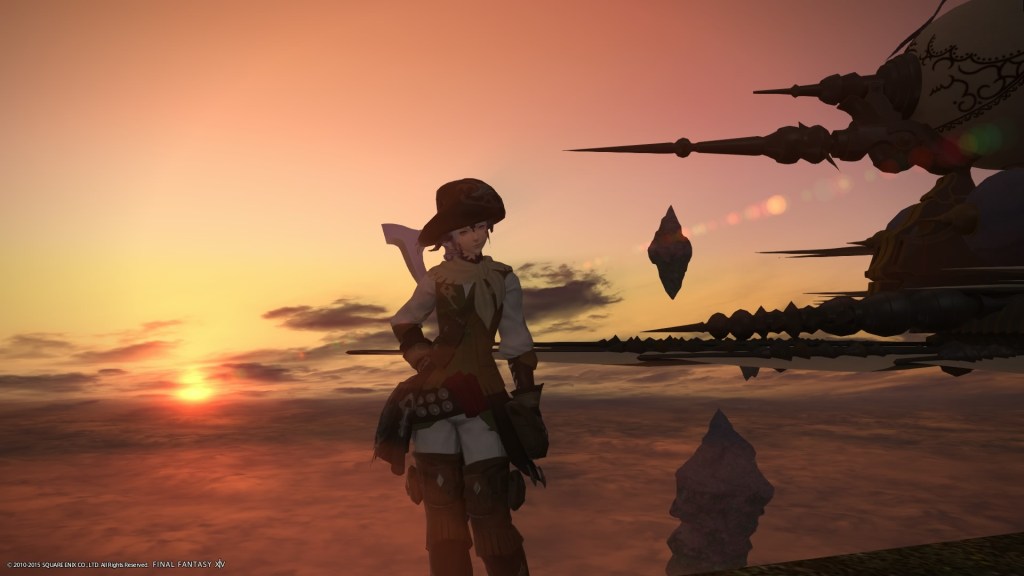
I also did a lot of fishing in FFXIV prior to Heavensward. I even had the special fishing rods and stuff from achievements. I think I lost track of fishing because I got caught up in the level grind that was part of the expansion. I think the fact that there were so many daily grinds in the game that there was no time to do anything fun was what caused me to stop wanting to play the game. Well, that and real life commitments. It’s harder to keep up with level and gear grinds when you have other responsibilities.
I suppose that’s the bigger issue, and I kind of wish there was an MMO where if you wanted to be a fisher main, or crafter main, you could actually do that without having to level up a combat job as well. With FFXIV, you have to level up a combat job and progress through certain parts of the main story so that you can do gathering or crafting jobs in relevant zones. It’s a bit of a drag if that’s not what you’re interested in.
It has been over a decade since I played Ultima Online, but from what I remember, the game didn’t have levels in the way that modern MMOs do, and it was entirely possible to just run around gathering stuff all the time. Maybe that’s looking back through rose colored glasses. I don’t know, but I just wish I could find a game that suited my interests again.

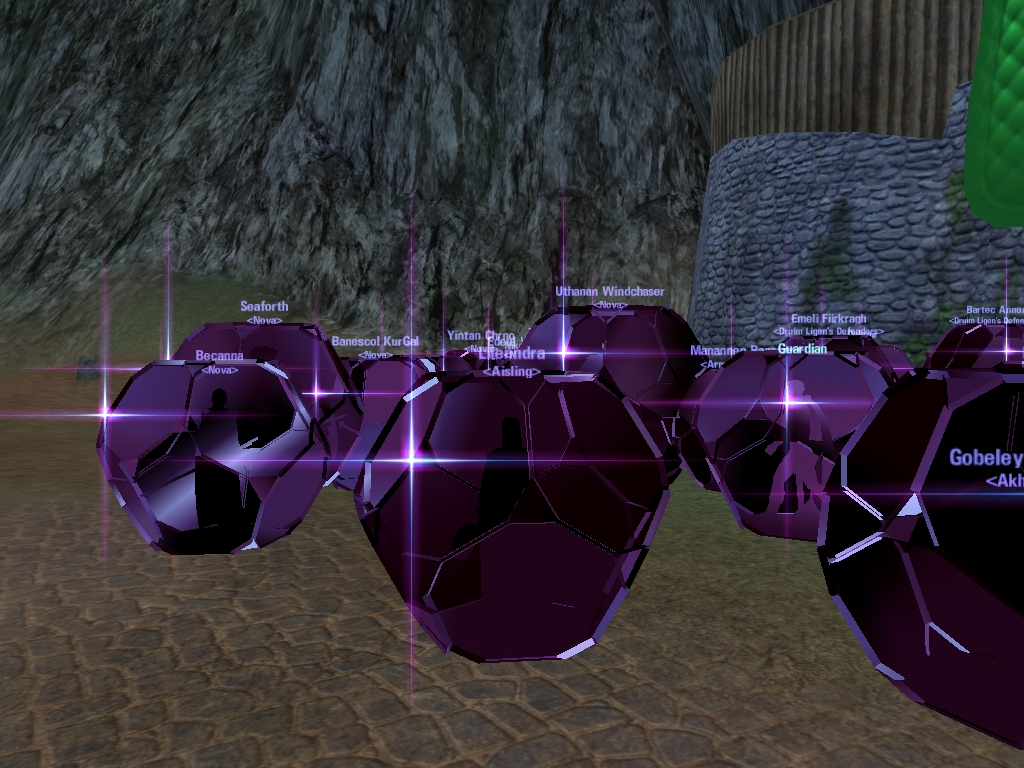
Most combat jobs in MMOs are boring anyway. The last time I really enjoyed a combat class was in Dark Age of Camelot. I played a Bard. The implementation of the Bard as a mesmerizer, stunner, and stat regenerator, along with actual music being played was amazing. It just somehow really suited my tastes and capabilities.
I’m playing Fallout 76 now and there isn’t any fishing in the game. I’m not sure that I’d want to go fishing in Appalachia, though. Who knows what irradiated monstrosities I’d dredge up.

I’ve been doing a lot of reading over the last few years and some ideas and philosophies that I’ve come across are nothing new, but they’re just not things that I was exposed to when I was younger, when they would have had the most impact, mostly because when I was a kid things like e-books and Amazon didn’t exist. And I guess the information just wasn’t as accessible even in print. Accessibility creates new markets, after all. Specifically, I’ve been doing a lot of reading about finding meaning in life and moving away from consumerism towards a healthier outlook on how to find meaning in life.
It seems like most of the issues we have in life come from not being satisfied with what we already have or need and constantly falling victim to our cravings for what we want, through one form of acquisition or another. We confuse needs and wants, and we oppress others to acquire possessions, power, or stature that we don’t really need to live truly satisfying lives. Worse, we confuse acquisition with satisfaction.
The happiness of your life depends upon the quality of your thoughts: therefore, guard accordingly, and take care that you entertain no notions unsuitable to virtue and reasonable nature.
Marcus Aurelius, Meditations
The one who has conquered himself is a far greater hero than he who has defeated a thousand times a thousand men.
The Dhammapada: The Sayings of the Buddha
I can’t count the number of times that I’ve bought a new thing, looking for satisfaction, only to find myself looking for the next acquisition-triggered dopamine rush a few weeks later. The problem isn’t that I need new things; it’s that I need to find an appreciation for what I have, and that can only happen if I correct my perspective.
This seems like something that should be common sense, and I understand it on some level, but I haven’t fully implemented it in my life. For example, I’ve criticized the small iterative upgrades to mobile phones and other electronics that are intended to keep people spending, but it hasn’t quite hit home, I suppose. I’m not quite there yet. Maybe it’s always a struggle, breaking free from consumerism in the pursuit of inner peace.
But I have donated quite a few things to Goodwill. Probably 1/3 of what I own, and honestly I can’t even remember what most of the items were because I wasn’t using them anyway. I’m simplifying my life so I can focus on the things that matter. It’s a process and only part of the journey, but it’s nice to be taking concrete steps in what feels like the right direction. Downsizing, healthier eating, meditation, exercise, and trying to focus on things that actually bring me joy.
If any of this sounds interesting to you, and you want to know more, then I recommend starting out by researching minimalism and habit formation. If you’re unfamiliar with the idea of habit formation to trigger new behaviors, the book Atomic Habits, by James Clear, is helpful. The Android app, Atom: Build a habit of meditation (For Beginners) is, obviously, oriented towards meditation, but along the way it teaches you a lot of good information about why and how to make new habits stick, and it’s not a bad idea to learn how to meditate anyway.
I picked up these ideas from the reading I’ve been doing on Stoicism and Buddhism. Both of these philosophies focus heavily on letting go of delusions and recognizing that mastering our own minds is the greatest challenge with the greatest possible reward. So, if you want to get into the philosophy (or spirituality/religion, depending on how you look at it), good places to start are The Meditations, by Marcus Aurelius, and The Dhammapadha (avoid the free F. Max Muller translation, it’s outdated and hard to understand), which are the sayings of Siddhārtha Gautama, the Buddha.
I recently moved my blog from DreamHost Shared Hosting to WordPress.com after years of trying to figure out why my blog was underperforming. I thought I had changed a setting or installed an add-on that was having a negative impact on my blog’s performance. After being on WordPress.com for about a month, it looks like the problem really was something DreamHost was doing after all. My site is snappier, and my page views are increasing again. I honestly feel like DreamHost cheated me for years, and I wish I’d never used them for hosting.
When I initially set up my blog on DreamHost, it was on their shared hosting tier, and it worked well. There was no lag. The pages loaded like they were supposed to. I could upload media with no problem. I even had a fancy theme. To top it off, I had a lot of freebies and bonuses because I signed up with DreamHost when they were trying hard to gain customers. My $120 per year included unlimited storage, unlimited bandwidth, and three free domain names.
Considering that I was running a simple personal blog, this was a great deal for me, and it met my needs with no issues. For most of the 9 years I used their service, I only had the one domain name. Every so often, I would register another for a year for a side project. It was fun and made it easy to experiment with different websites and services (ex:, just having DreamHost host the DNS and pointing the url to a Fediverse instance that I was self-hosting at home).
My problems started when DreamHost launched DreamPress in 2013. DreamPress was essentially $7 more per month, or almost double what I was paying, with limited storage space and no free domain names for supposedly better site performance. But, my blog ran just fine at the time for what it was. I didn’t really need improved performance. And I think this was why, for no reason, my site suddenly started performing worse and worse.
First, I was no longer able to upload photos without constant errors. Then I had to disable the back-up plugin I was using because it would never successfully complete anymore, which makes sense because automatic backups were being offered in DreamPress. Right? Then, I had to switch to a super basic theme just to get the site to load. Then, I had to remove most of the plugins. Then, I had to remove all of my widgets. I honestly think that the only reason my site still loaded is because I had to hooked up to CloudFlare, because the more I removed, the worse the site performed over time. This went on for years.
I know, it’s pretty unbelievable that I just sat through worsening performance for that long, but I got comfortable and the thought of trying to move to another host was intimidating and later just something I didn’t want to deal with. I considered hosting my WordPress site at home on a home server for a while and probably would have done that, but I switched internet providers from Optimum to Verizon FiOS to get double the speed at half the cost and self-hosted servers violate Verizon’s ToS, but that’s another story. Anyway, I rationalized the degraded service by calculating the value of the unlimited storage space, bandwidth, and domain name registrations.
Eventually, though, it became such a hassle just opening the admin panel that I realized I didn’t even want to use my blog anymore. When DreamHost emailed me 30 days before my renewal this year to tell me that my yearly price had changed from $120 to $155, it was the final straw. Right after getting that email, my site’s performance improved. I hadn’t changed anything, but my site was suddenly running quite a bit better. I felt like DreamHost had improved performance temporarily to get me to accept the price jump, but given how my site had been performing previously, I wondered if they would immediately hammer me back down after getting my money. Paranoid a bit, I know, but at that point I decided to move my blog to a new host.
I eventually settled on hosting my site at WordPress.com. The only thing that concerned me about moving to WordPress.come was not being able to have plugins, but by this point I had removed almost all of my plugins just to try to get my site to run. I realized that the only one that I would miss at all was wpDiscuz, a commenting plugin, but it was an ok trade-off to make. WordPress.com doesn’t allow plugins unless you have a business class plan.
Another bonus is that I got 50% off my first year of hosting at WordPress.com, so I only paid about $48. The weird thing is, I think I could have gone with the lower plan. On DreamHost, they claimed my blog was eating up 10 GB of space. I couldn’t figure out how. On WordPress.com, it’s listed at about 600 MB.
The short of it is that I wish I’d just gone with WordPress.com from the start. DreamHost progressively limited my shared hosting plan until my WordPress blog wouldn’t even load the admin panel 80% of the time and I lost interest in even using my blog. I would have saved myself a lot of hassle, enjoyed blogging more over the years, and I would have saved money. So, if you’re thinking of starting a WordPress blog on DreamHost Shared Hosting, don’t bother. I’m not sure what their shared hosting is good for, but a basic WordPress blog isn’t it.
Why pay for something if you don’t need to?
When I subscribed to YouTube Music, it was because I needed a music subscription service. I’d been using Spotify for a few years, but I wanted to change things up a bit, and it seemed like a pretty good deal to be able to get the Family version of YouTube Music for $14.99 a month and then pay $3.00 more per month to have an ad-free YouTube experience that I could share with a few relatives.
There’s a bit more to YouTube Premium than that, like having background play on mobile, but just not being bombarded with ads was what really mattered to me. I have an ad-blocker on my browser, but I don’t have one on my TV, and I was playing a lot of YouTube videos through my TV at the time. So, it seemed worthwhile.
Trying to pare down the things I own, the things I spend money on, the things I wear, has been something I’ve been working on for months or maybe years now. I’ve been trying to simplify my life so that I can regain some freedom to just sit and enjoy life without being burdened by the mental weight of all the things I own, subscribe to but don’t use, bought but can’t find time to use, and so on.
I’ve made a lot of progress with removing items, so I started thinking about other ways to minimize. One easy way is to limit the number of subscriptions for digital services I have. It’s easy enough to put Hulu on pause when we’re not using it. I still need to take a look at Netflix and see if I can do something similar. I probably won’t be renewing Disney+ when my annual subscription ends. Instead, I’ll just wait about a year, pay for 1 month, and then catch up on the few things that I actually want to see. We also have Amazon Prime, which includes videos. Oh, and HBO Max.
It’s kind of annoying, but they seem to be in collusion with each other, to always be offering one or two shows that most people would really want to see so that you can’t get away with just having one subscription or another. Or not having a “pause” option so that you can easily bounce back and forth without losing your watch history and watch lists.
So, for paring down digital services, I went after the low-hanging fruit first, which in this case is YouTube Premium. Of all the services I use, this one provided the least return for the money I was paying, and I think I found a way to retain most of the benefit of the subscription (to me) without having to actually pay for it.

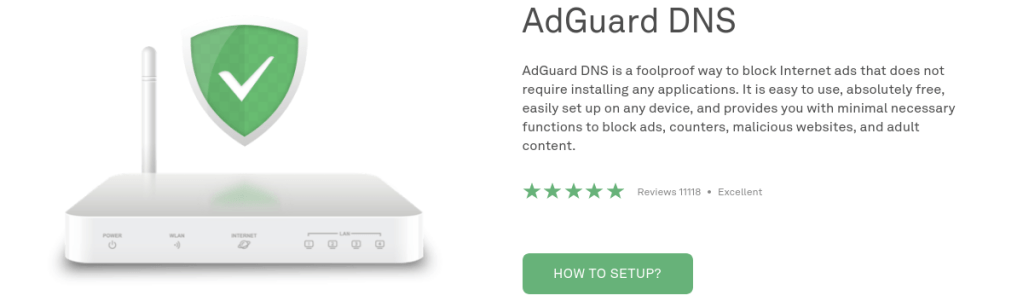
I was doing some research and came across an article that was talking about setting up a Pi-Hole, a Raspberry Pi (a type of single board, small computer) that has been configured to block ads and monitor your home network. I don’t want to put money into more hardware at the moment, but reading up on Pi-Holes clued me in to DNS providers that will block ads, scams disguised as ads, and some forms of malware by just changing the DNS settings on my home router.
Some of them charge money after a free trial period, typically about $20 per year, but Adguard provides this service for free, for now. So, I figured, why not use AdGuard to block the ads on YouTube instead of paying a subscription fee to accomplish the same task? It would save me $17.99 + tax per month and give me an excuse to cut off a service that I wasn’t really using enough to justify the cost.
I don’t listen to as much music in the car as I used to. I generally listen to audiobooks that I borrow from the New York Public Library or Brooklyn Public Library or podcasts that I download before leaving the house. For what music I do want to listen to, our Amazon Prime subscription should pretty adequately cover our needs. That’s another problem: overlapping services.
Anyway, hopefully AdGuard will block any advertising that may be included with Amazon Prime Music at home and we won’t notice much of a change in our daily routines. Eventually, I’ll set up a Pi Hole here at home, but that’s going to have to wait. Before that, I want to figure out a home network storage solution for backing up our important media and making it accessible from anywhere.

There is no sin greater than desire.
Tao Te Ching
There is no misfortune greater than discontent.
There is no calamity greater than greed.

